Connecting your own AI agent (MCP)
Where: Your picture, top right → My AI agents
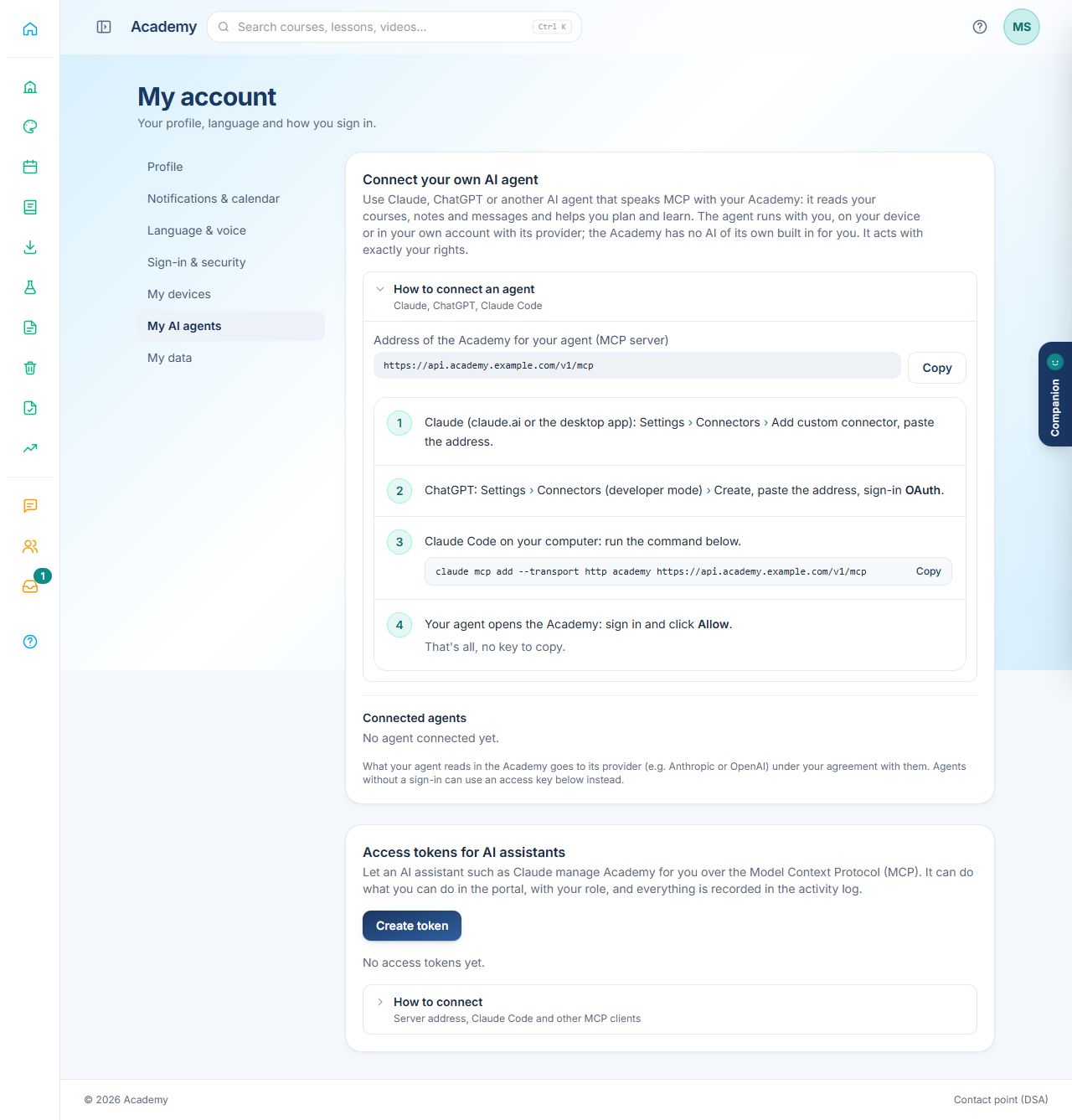
With the Model Context Protocol (MCP), your own AI agent such as Claude or ChatGPT can use the Academy on your behalf: read courses and notes, help you plan, write messages, or as a trainer create courses. The agent runs with you or in your account with its provider, not in the Academy. It can do exactly what your role allows, and everything is in the activity log.
How to
Section titled “How to”- Under “Connect your own AI agent”, open “How to connect an agent” (it is open while no agent is connected) and copy the Academy’s address.
- Add it to your agent as a connector or MCP server (Claude: Settings → Connectors; ChatGPT: Settings → Connectors in developer mode; Claude Code: the ready-made command).
- Your agent opens the Academy: sign in, check what it asks to do, and click “Allow”. An agent or app may ask for less than everything, e.g. only reading your learning or only your messages; it then can’t do more. Under “Connected agents” you see what each one was allowed and disconnect it any time.
- If your agent can’t sign in by itself, click “Create token” under “Access tokens for AI assistants”. In the window, give it a name and an expiry, confirm that it’s you (password, code or passkey) and click “Create token”. Copy the token straight away and enter it in your agent: it isn’t shown again. “How to connect” below the tokens opens numbered steps with the server address, the Claude Code command and how other MCP clients send the token.
Fields and buttons
Section titled “Fields and buttons”- Name: In the token window. So you recognise the token later.
- Expires: In 30 days, 90 days, a year, or never. Shorter is safer.
- Read only: The agent only gets reading tools and can’t change anything.
- Revoke: The token stops working at once.
Connecting an agent
Section titled “Connecting an agent”When an AI agent (e.g. Claude, ChatGPT, Claude Code) asks to connect, the Academy shows Connect an AI agent? with what The agent can do, e.g. Allowed: everything you may do; allow it, or Deny.