Language trainer: speaking practice
Where: Companion tab at the right edge → “Languages” (the globe icon). Under an answer to a language question, “Practise in the language trainer” takes you there too.
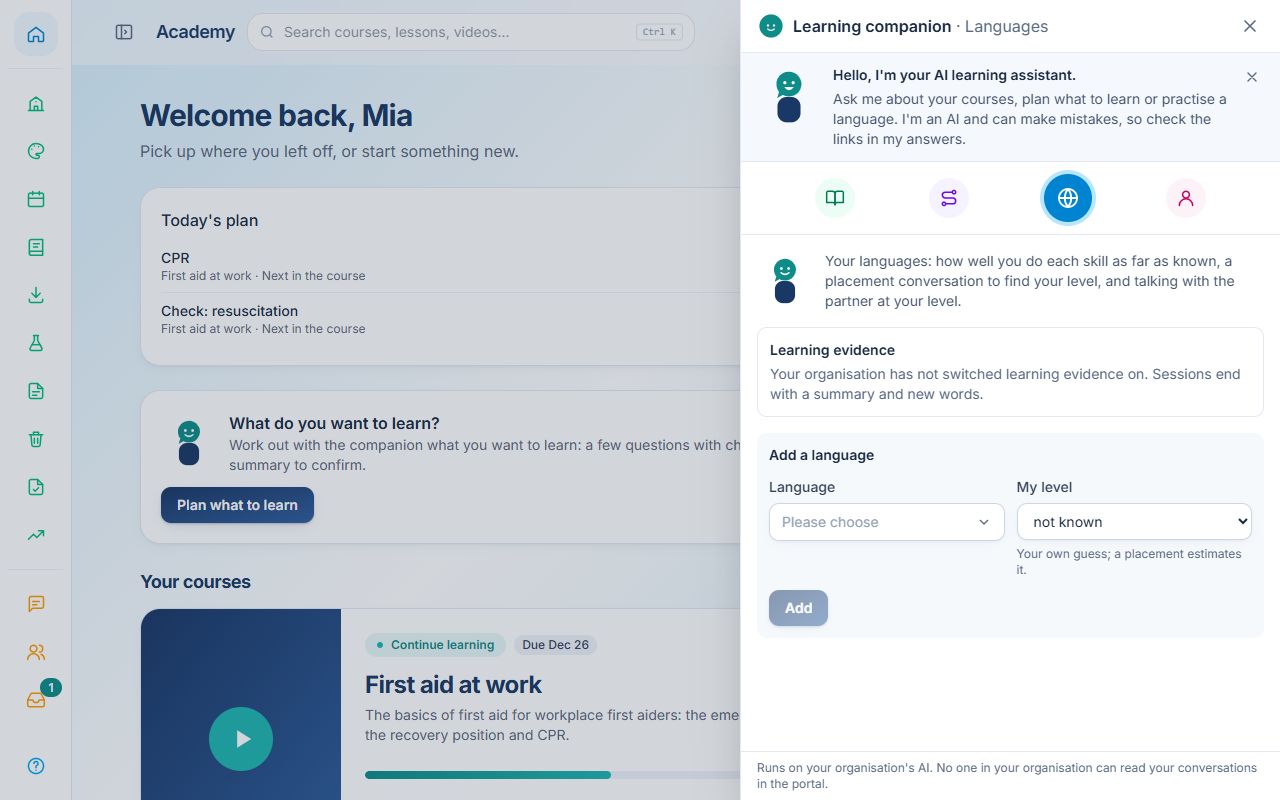
The language trainer shows your languages, how well you do each skill as far as known, and lets you talk with an AI partner at your level: guided practice, a situation such as ordering in a café, or a free conversation. A placement conversation can estimate your level.
How to
Section titled “How to”- Under “Add a language”, choose the language and, if you like, your own guess under “My level”. Click “Add”.
- On the language’s card, click “Practise now”, “Practise a situation” or “Talk”.
- Choose how you want to practise: “Speak (headset and microphone)”, and the partner begins aloud, or “Write”, and you type your answers. Where speaking isn’t available, “Let’s start” begins in writing.
- When you’re done, click “Finish”. “Learned today in …” sums up the session.
Fields and buttons
Section titled “Fields and buttons”- Skills: Listening, reading, speaking, writing, conversation, pronunciation, vocabulary and grammar, each with its level. The badge says where the levels come from: “your guess”, “estimated” (from a placement) or “from your sessions”.
- Practise a situation: Pick a ready-made one (Café, Hotel, Doctor, Directions, Phone call) or describe your own: the situation, the partner’s role and your goal. Then “Start”.
- Placement: Only if offered, and only when you start it: “Placement” opens a start screen that says what the result is for, and nothing happens until you press “Start placement”. Answer the partner’s questions as well as you can; nothing is corrected. “Finish placement” shows the estimate: an AI estimate, not a grade. It sets only the level you practise at here, which you can change at any time; it is private to you and decides no access, no grade and nothing at work.
- Learning evidence: Off until you switch on Record learning evidence. Then, after a session, the AI notes what you managed, and after enough of it your level rises. Only you see it. You can switch it off at any time; what was noted stays in your own data and export. If your organisation hasn’t switched learning evidence on, or you objected to the evaluation of your learning, the switch isn’t offered and sessions end with a summary and new words.
- Slower / An example / Explain in my language / Repeat: Quick requests to the partner during a session.
- Corrections: When the partner corrects you: “right away”, “in the reply”, “at the end” or “only when I ask”.
- Pause: Leaves the session; it waits on the language’s card with “Go on”.
- Due again: Things to practise again, each with “Practise again”.
- Learned today: A summary, the new words and what you showed. “Save as flashcards” puts the new words into a flashcard deck of the language (this comes with Pro).
- Remove: Takes the language off your list.
- Levels start at Before A1. Role play ideas give a scene and a partner, e.g. A hotel reception with The receptionist, A doctor’s surgery with The doctor, A street in town with A passer-by, a café with The waitress (Order and pay), or A call to a company with The person on the phone (Make an appointment).