Support tickets
Where: Menu → Help → Support tickets
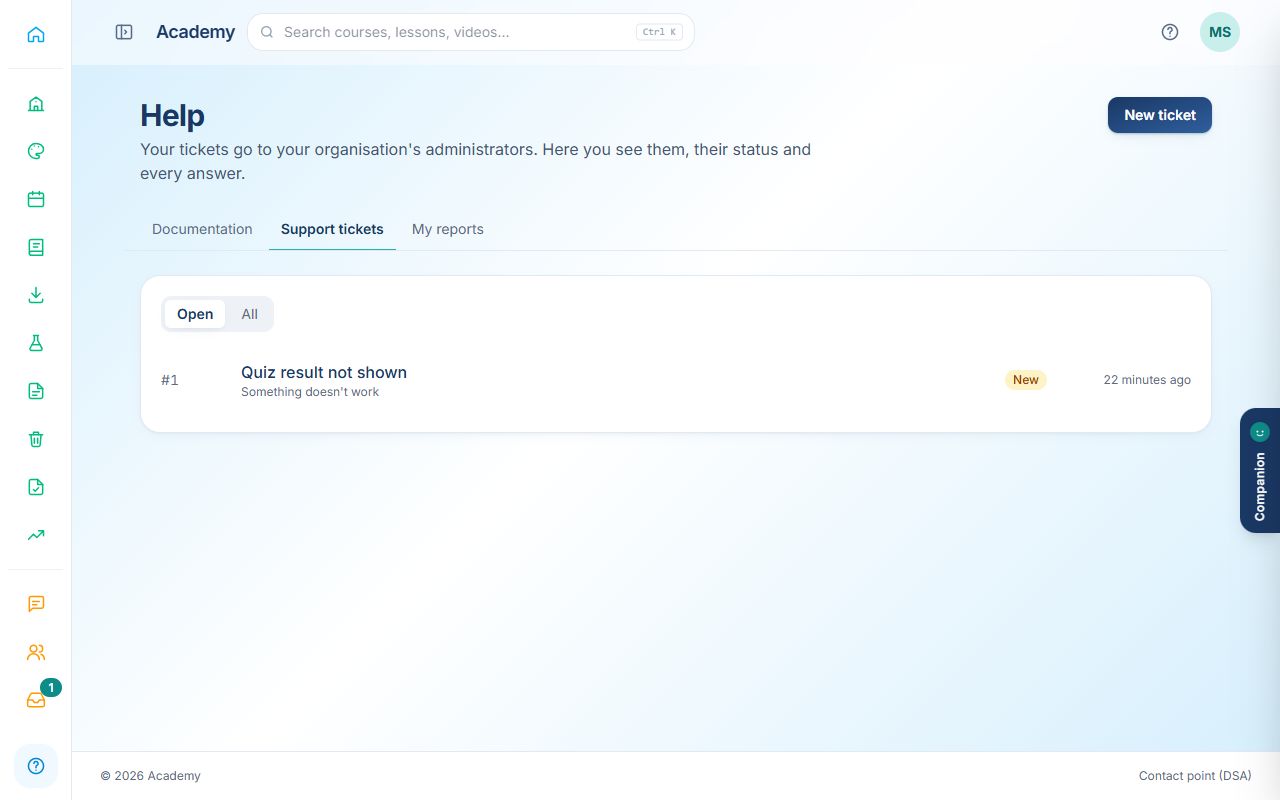
When something doesn’t work or you have a question, open a ticket. As a member of an organisation it goes to its administrators, otherwise to the platform’s support. Under “Support tickets” you see your tickets, their status and every answer; an email tells you when there is news.
How to
Section titled “How to”- Click “New ticket”. A window opens over your list of tickets.
- Enter a subject, choose what it is about (e.g. Sign-in and access) and how urgent it is (Urgency). The page you came from is noted with the ticket, under Where it happened.
- Describe what you did and what happened; attach screenshots if needed (up to 10 MB each).
- Click “Open ticket”. The ticket opens in place of the window.
- Answer follow-up questions in the ticket. Once everything is sorted, close it with “Close ticket”.
- Once it is answered, “How did we do?” beside the ticket has a “Rate” button. It opens a window for one to five stars and A word on it (optional); “Send rating” saves it, “Change rating” changes it later.
Where your ticket is
Section titled “Where your ticket is”A ticket shows who has it: With the organisation’s administrators or With the platform’s support; Handed on to the platform when your administrators passed it on. Its history lists each step, e.g. Opened, to the platform’s support.