Pro
Where: Menu → Finances → Pro
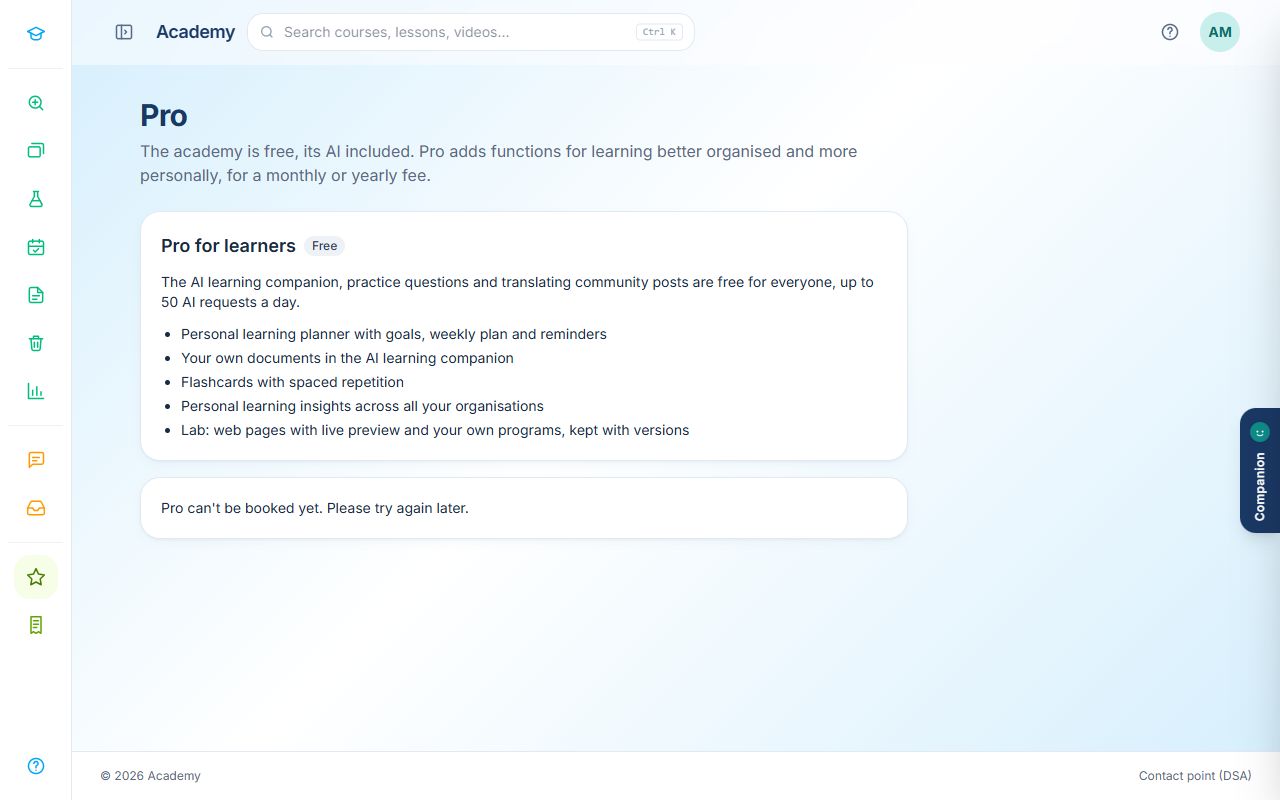
The academy is free, its AI included. Pro adds functions for learning better organised and more personally, for a monthly or yearly fee. The page lists what Pro includes, lets you book it and, once you have it, manage it. Once you have Pro, “Pro for learners” is one folded line; click it to read the list again.
How to
Section titled “How to”- Read “Pro for learners”: what stays free and which functions Pro adds.
- Under “Choose your plan”, click “Monthly” or “Yearly”. The price and what happens after the first year are shown there.
- Tick that you accept the terms for Pro and know that the subscription renews automatically until you cancel it.
- Optional: enter a voucher code.
- Click “Start free trial” or, if you had your trial already, “Book Pro”. You pay on Stripe’s secure page; the academy never sees your card.
Fields and buttons
Section titled “Fields and buttons”- Pro active / Free: Whether you have Pro now.
- Your Pro: Your price and when it renews, when the trial ends or, after cancelling, when Pro ends.
- Cancel contracts here: Opens the cancellation page. You see a confirmation page next, and receipt is confirmed by email.
- Withdraw from contract here (until …): Next to “Cancel contracts here”, within 14 days of booking, with the date. Pro ends at once and you get back what you paid.
- Keep Pro: After cancelling, takes the cancellation back.
- Invoices and payment method: Opens Stripe’s page with your invoices and card.
- Redeem voucher: Adds a voucher to a running subscription. It applies from the next payment, once or for the agreed months; only one voucher runs at a time.
My insights
Section titled “My insights”Where: Menu → My progress → My insights (with Pro)
Your learning across all your organisations, and a monthly report by email: see My insights.
Cancelling or withdrawing
Section titled “Cancelling or withdrawing”Under My account → Contracts, “Cancel or withdraw” opens the declaration:
- Which contract is it about? and, if you like, Which contract exactly (optional).
- Type of cancellation: Ordinary cancellation (Pro runs to the end of the paid period), or a withdrawal within the withdrawal period.
- Reason (optional), then Please check your declaration shows it once more: Cancel now or Confirm withdrawal.
- The confirmation (e.g. Your cancellation has been received, Your withdrawal has been received or Your declaration has been received) can be kept with Save or print. The page then says Pro ends on or Pro ended on with the date.
Pro includes Flashcards with spaced repetition and My learning insights.