My learning
Where: Menu → Overview → My learning. If you learn with your own account on the platform, this is the page you see after signing in.
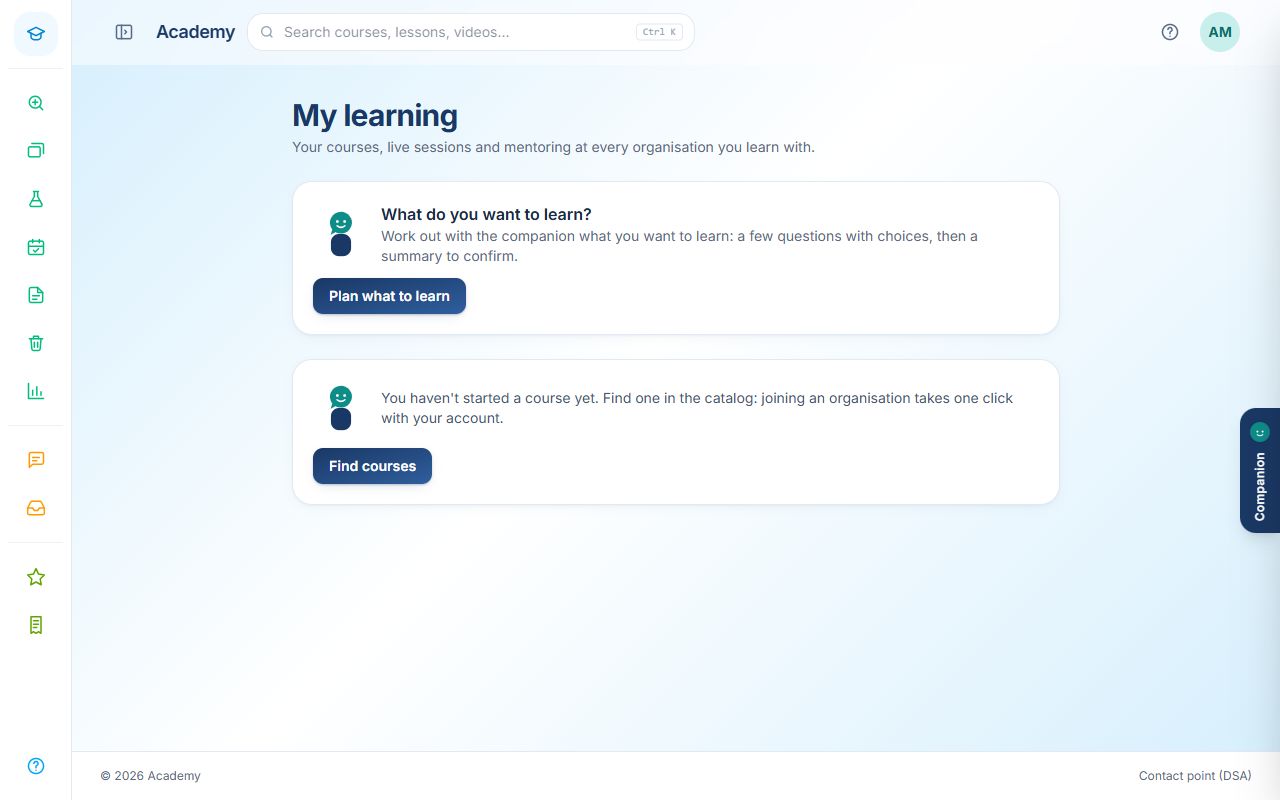
My learning gathers your courses, live sessions and mentoring at every organisation you learn with, each under the organisation it comes from. The organisation you’re in right now is marked “You’re here”. Each organisation is one folded line with its counts of courses, live sessions and mentoring; the current one (or the only one) is open. With more than one organisation, a row above them narrows the list: “All”, “Courses”, “Live sessions” or “Mentoring”. A chosen kind opens every organisation that has some.
How to
Section titled “How to”- Find the course, live session or mentoring under its organisation.
- Click “Continue” to go on with a course, or “Open” for a finished course, a live session or a mentoring.
- If it belongs to another organisation, the portal switches you to that organisation first and then opens it.
Fields and buttons
Section titled “Fields and buttons”- What do you want to learn?: Shown when the AI learning companion is on for you. “Plan what to learn” opens the companion’s planning.
- New messages: How many unread messages you have; “Open messages” takes you to them.
- Your vouchers: A folded line with how many vouchers organisations gave you. Click it to see each code. Enter the code when you book at that organisation.
- Course line: How far you are (“… % done”) or “Done”.
- Live session line: “Live now”, or the date of the session.
- Mentoring line: How many appointments you have left.
- … may email me its offers: Tick it to let that organisation email you its offers; untick it to stop that.
- Certificates: Shows how many certificates you have at an organisation and opens that organisation’s overview.
- Find courses: Opens the catalogue. If you haven’t started a course yet, it is the only course button on the page.
The catalogue and organisations’ pages
Section titled “The catalogue and organisations’ pages”The catalogue, the directory of providers and each organisation’s page with its courses, trainers and live sessions are for signed-in people. Opening a link to one of them without being signed in brings you to the sign-in first and back to the page afterwards. If you have no account yet, register: it is free. Course pictures, preview videos and trainers’ photos load only while you are signed in, too. On a course’s page, “What’s inside” lists its sections, each one folded line with its number of lessons and length; the first is open. A live session series lists its dates; more than three are one folded line.
Before you join an organisation’s course
Section titled “Before you join an organisation’s course”On a course or live session page of an organisation, and for open classes under Classes, you see What … receives: the learning data that organisation gets from you for this course, session or class. It follows what the course really holds, for example:
- your name and email, when you joined and when you last signed in there;
- your progress, your quiz answers and results, what you hand in and its feedback, your code in coding exercises;
- your registration and attendance at live sessions, your chat messages and, with captions on, what you say;
- your certificate when you finish, and a rating you give;
- if the organisation offers mentoring and you are mentored there: the tasks, milestones and title of your mentoring space and the topics of your appointments (messages, files and notes stay between you and your mentor);
- that the organisation passes enrolments, completions and certificates on to its own systems, if it does.
Your conversations with the AI learning companion, what you tell it about yourself and how much you use it, your sign-in (password, passkeys, connected accounts), your private notes and messages, and your learning with other organisations are not shared. Below the list is the organisation’s privacy notice, or the line that it hasn’t added one yet. It’s information: there’s nothing to tick.
Whose privacy notice
Section titled “Whose privacy notice”Notices before a feature (a video, speaking to the AI, a live session, its captions) link the privacy notice of whoever is responsible for it. In an organisation’s course or session that is the organisation: “Privacy at … – responsible for …” comes first, then “Platform privacy – for your account and hosting”. For your own account and the AI the platform provides for you, only the platform’s privacy policy is linked.