Course bundles & subscriptions
Where: Menu → Finances → Sales & payments → Course offers
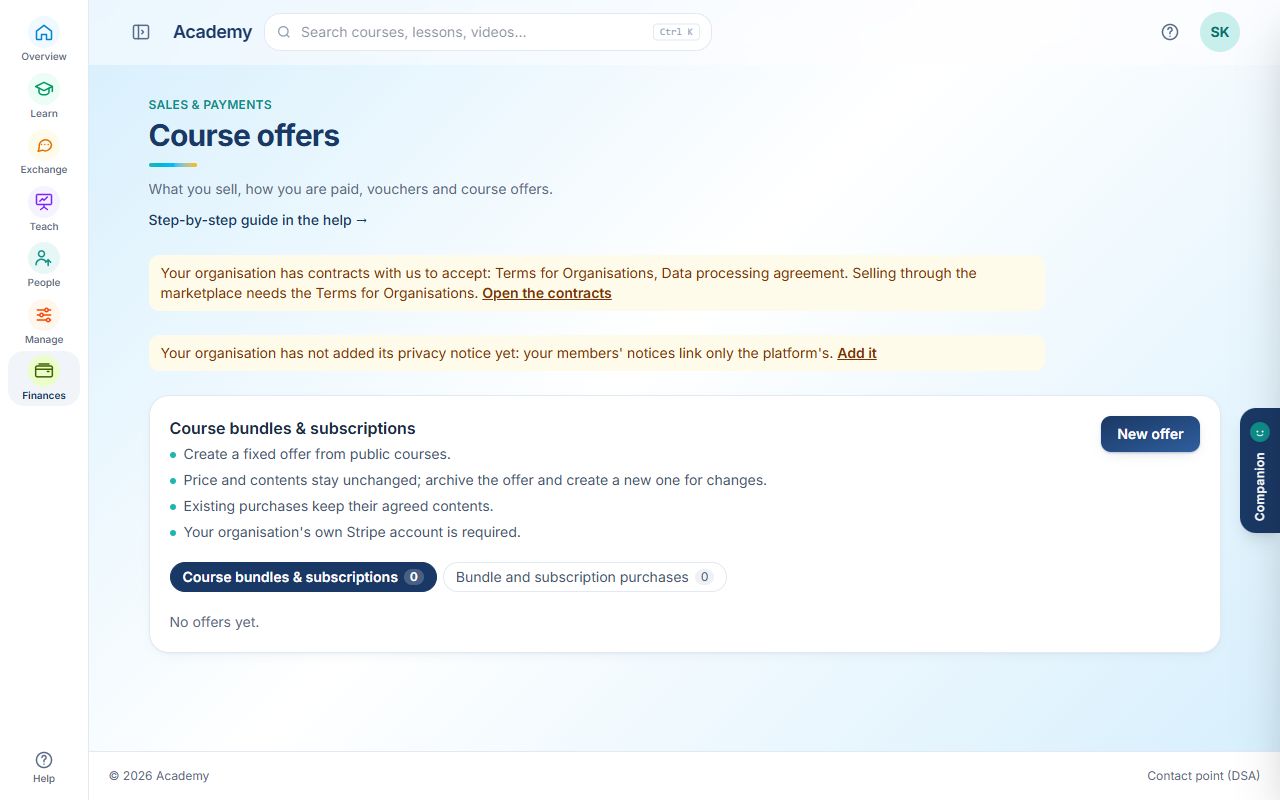
A fixed offer made from your public courses: one purchase opens all included courses, once or as a subscription per month or year. Price and contents stay unchanged; to change an offer, archive it and create a new one. Existing purchases keep their agreed contents. Offers need your organisation’s own account with Stripe or Mollie.
How to
Section titled “How to”- Click “New offer”; in the window, enter the offer name and a description.
- Enter the price including applicable taxes, the currency and the billing (one-time, per month or per year).
- Tick the included courses (up to 50) and click “Create draft”.
- On the tab “Course bundles & subscriptions”, each offer is one line with its price, billing, number of courses and status. Click it to see the contents, then “Publish” to offer it. “Archive” takes it off sale.
Fields and buttons
Section titled “Fields and buttons”- Included courses: Only published courses with their public listing switched on can be chosen. Publish courses and enable their public listing first.
- Status: Draft, published or archived.
- Bundle and subscription purchases: On its own tab, one row per purchase: who bought which offer and when, with its status (awaiting payment, active, no paid access, cancelled, refunded, failed). Search by buyer or offer, and filter by status.
- Search buyer or offer finds a sale; a buyer who deleted their account shows as Deleted customer. Visitors who aren’t signed in see Sign in to purchase.