Skill development
Where: Menu → People → Skill development
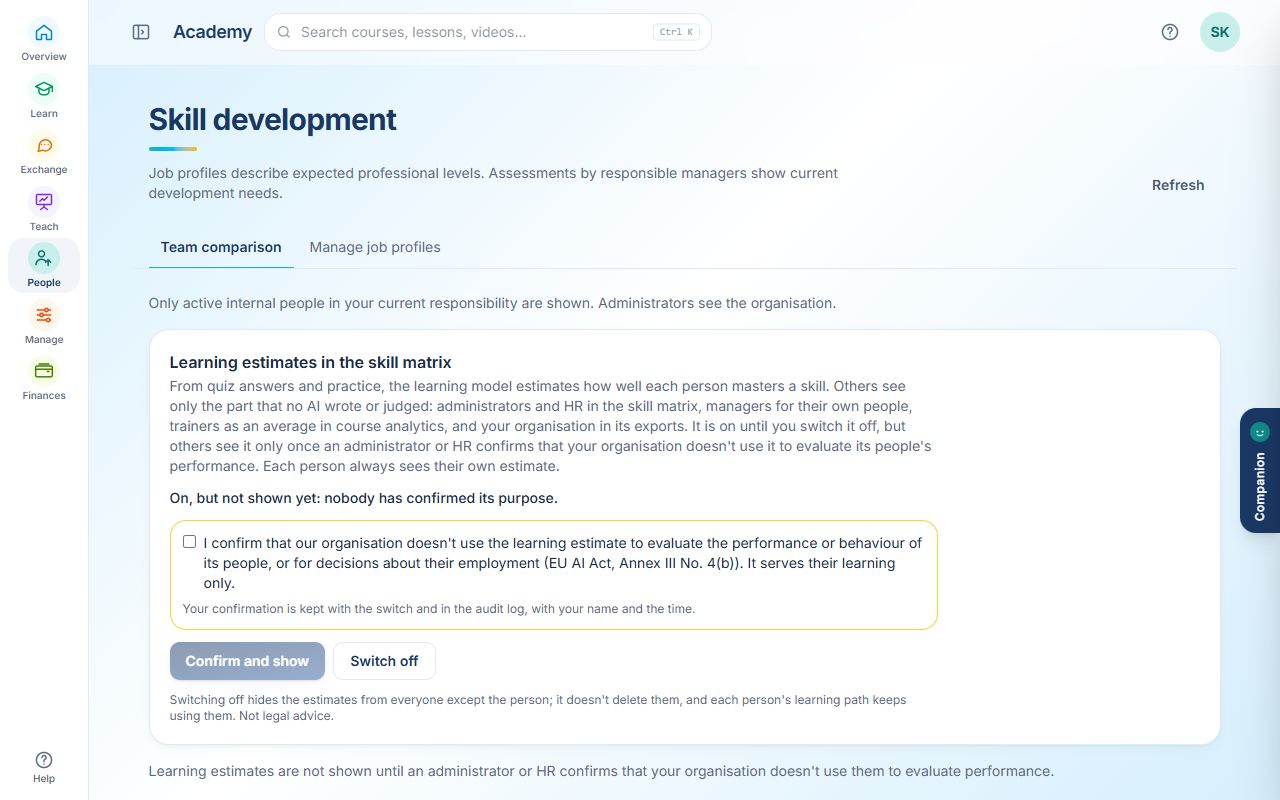
Job profiles describe the professional levels a job expects. Managers assess the people they are responsible for against them; HR keeps the job profiles and sees the whole organisation. Only active internal people in your current responsibility are shown.
How to
Section titled “How to”The tabs “Team comparison” and “Manage job profiles” are kept in the address (…#team, …#profiles), so a link or a reload opens the same one. “Refresh” at the top loads everything again.
- HR: on the tab “Manage job profiles”, click “Create job profile” (or a profile’s line to change it); in the window, give it a name and description, add skills with their target level (“Choose skill”, “Add”) and save. Reuse existing skills where possible; “Add a skill” makes a new one.
- On the tab “Team comparison”, search by name, job title or department, or filter by team or job profile; open a person’s folded line and click “Open profile”.
- Choose the person’s job profile and click “Save assignment”.
- Click “Assess” next to a skill; in the window, choose the professional level, write the rationale and observation, optionally a “Valid until” date, and save.
Fields and buttons
Section titled “Fields and buttons”- Levels: 0 · Not yet demonstrated, 1 · Foundation, 2 · Applies with guidance, 3 · Independent application, 4 · Complex tasks, 5 · Expertise and guiding others.
- Status: Met, development gap, not yet assessed, assessment expired or withdrawn. A missing assessment means unknown, not inadequate.
- Learning estimate: Comes from learning activities. It doesn’t replace a professional assessment or meet a target. Others see it only while your organisation shows it: the first time an administrator or HR opens the team comparison, they confirm that your organisation doesn’t use it to evaluate performance, and they can switch it off there or under Integrations → AI → AI functions. Until then, and while it is off, the column says “Not shown” (AI functions, ADR 0328).
- Assessment history: Folded below the skills: every assessment with date, reviewer and validity; “Withdraw” takes one back with a reason.
- Active: Switching a job profile off archives it and suspends its targets; earlier assessments stay in the history. Changes to a profile apply at once to everyone assigned. Job titles from employment data don’t assign profiles automatically.
- EU skill map (ESCO): Link a skill to ESCO, so the learning companion can use the common terms for gaps and suggestions. Only the search word goes to the ESCO service.
More on skill development
Section titled “More on skill development”- Edit job profile (with Search ESCO to take skills from the European classification); a person without one shows No job profile assigned. My profile and the Target comparison show where someone stands against the profile.
- Assessment withdrawn with a Reason for withdrawal; a reviewer who left shows as Reviewer erased.