Mandatory trainings and training records
Where: Menu → People → Mandatory trainings, and Menu → People → Training status (trainers: Menu → Teach → Training status)
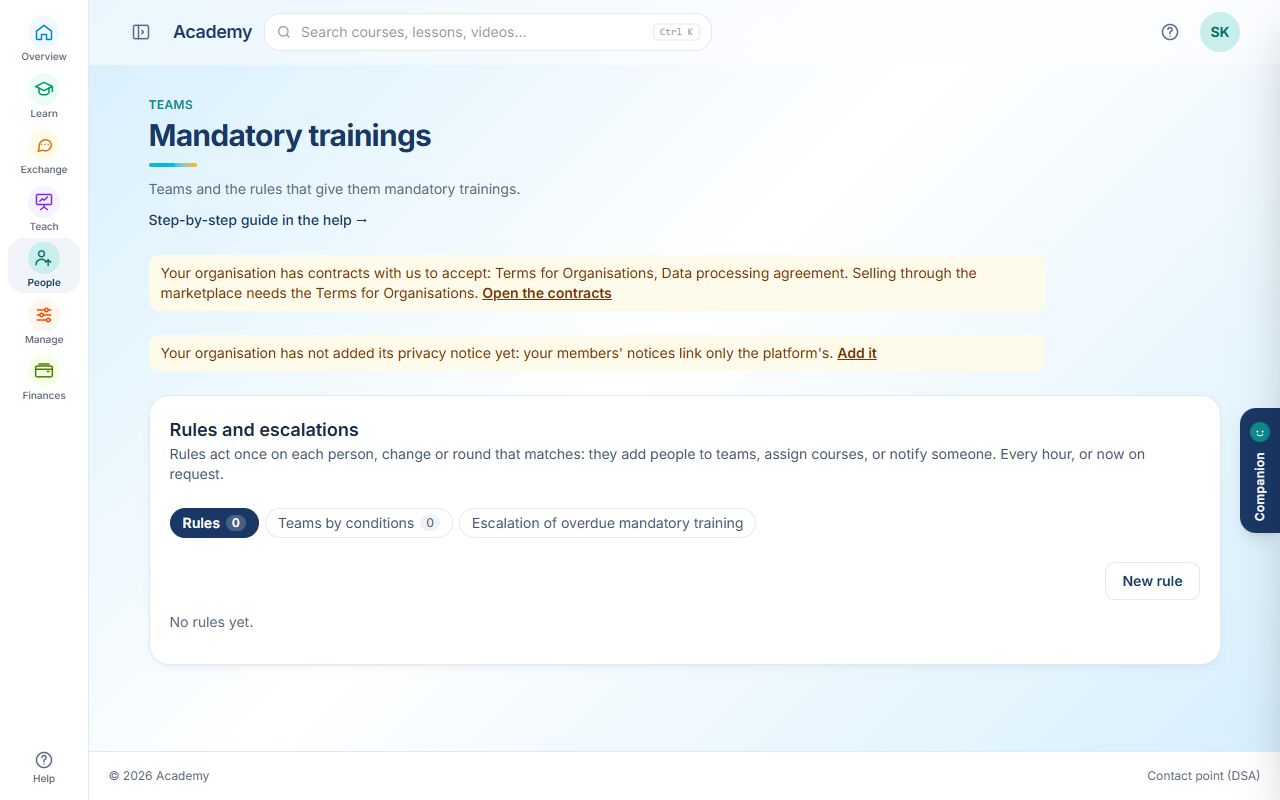
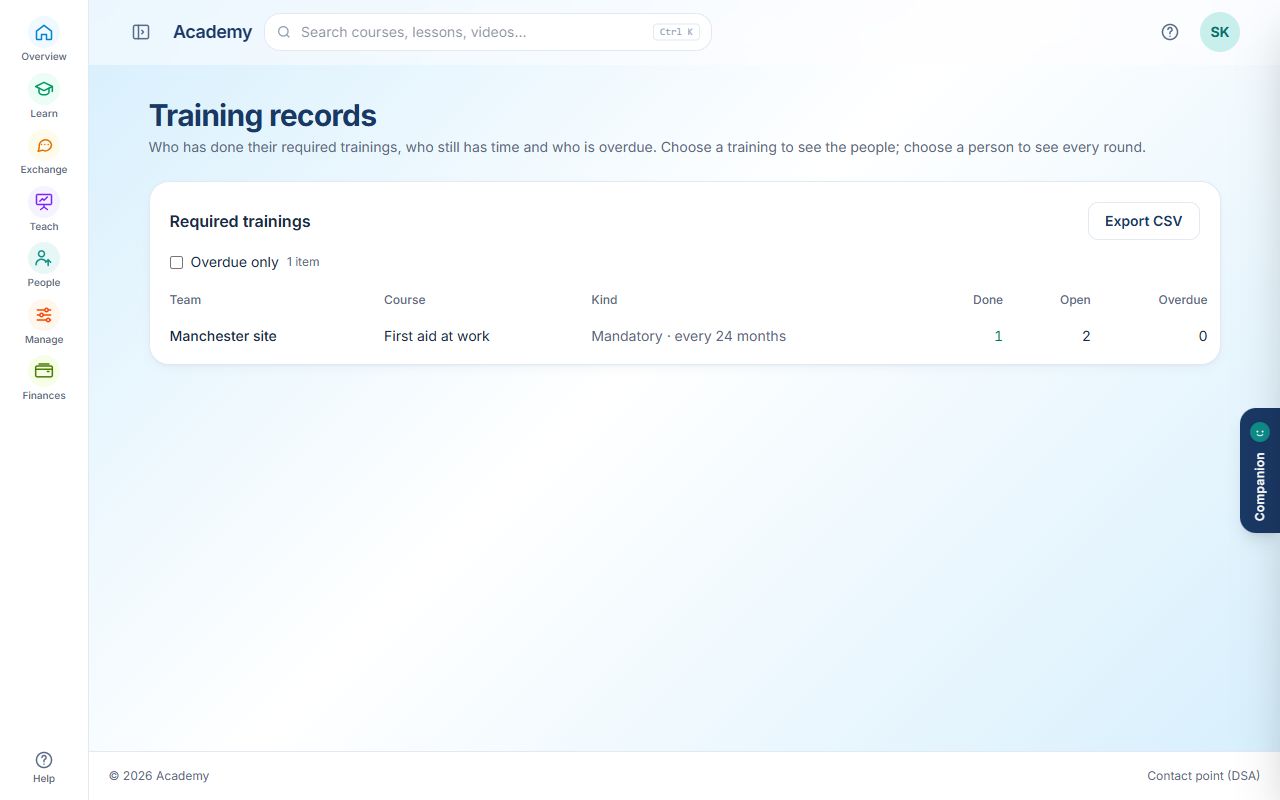
Under Mandatory trainings, HR sets up rules that act on people, changes and rounds, the escalation of overdue rounds, and teams that follow conditions. Training status shows, for every required training, who has done it, who still has time and who is overdue.
How to
Section titled “How to”The page has three tabs: Rules, Teams by conditions and Escalation of overdue mandatory training. A rule and a team by conditions are added and edited in a window.
- Under “Rules”, click “New rule” and give it a name.
- Under “When”, choose the trigger: a person is new, a field changes (department, location, job title or line manager), a round is overdue (with the days past due) or evidence expires (with the days before validity ends).
- Under “Only for people whose”, add conditions on department, location or job title (is, is not, is one of, contains, is empty, is filled); separate several values with commas. Without conditions the rule applies to everyone.
- Under “Then”, add actions: add to team, assign course (with “Due in days”), notify (the person, their line manager, their team leads or administrators) or set status (the person’s status, e.g. employee, apprentice or intern). Rounds and evidence can only notify.
- “Preview” shows how many people the rule affects now; then save it.
Fields and buttons
Section titled “Fields and buttons”- How rules run: A rule acts once on each person, change or round that matches, every hour, or now with “Run now”. “Log” lists what it did (done, skipped, failed). A rule with “Active” switched off shows as “Paused” and does nothing.
- Escalation of overdue mandatory training: Team leads and deputies, or else the line manager, hear about an overdue round; later the line above the leads too, each once per round. Set the days in “Leads after (days)” and “Line above after (days)”. It is off until you switch it on; tell your people before you do.
- Teams by conditions: Members follow the conditions, for example everyone in one department or location, kept up to date every hour. These teams carry the badge “Rule” under Teams.
- Training status → Required trainings: One line per team and course with its kind and how many are done, open and overdue. Click a line to see the people with status, due date, completion date, result, passed and valid until. Click a name to see every round of that person, with a link to the certificate of each completed round.
- Filter: Above the required trainings, “All teams” narrows them to one team (with more than one team) and “Overdue only” to trainings with overdue people.
- Export CSV: Downloads the trainings shown (after the filter), or the list of people of the chosen training, for audits.
Rules and escalations
Section titled “Rules and escalations”The tab Rules and escalations: a Standard rule applies to all; Edit rule changes one (values: Separate several with commas). New team by conditions makes a team whose members follow the conditions. A person who was deleted shows as Deleted person.