My team and reporting lines
Where: Menu → People → My team, and Menu → Manage → People → Employment (HR: Menu → People → Employment)
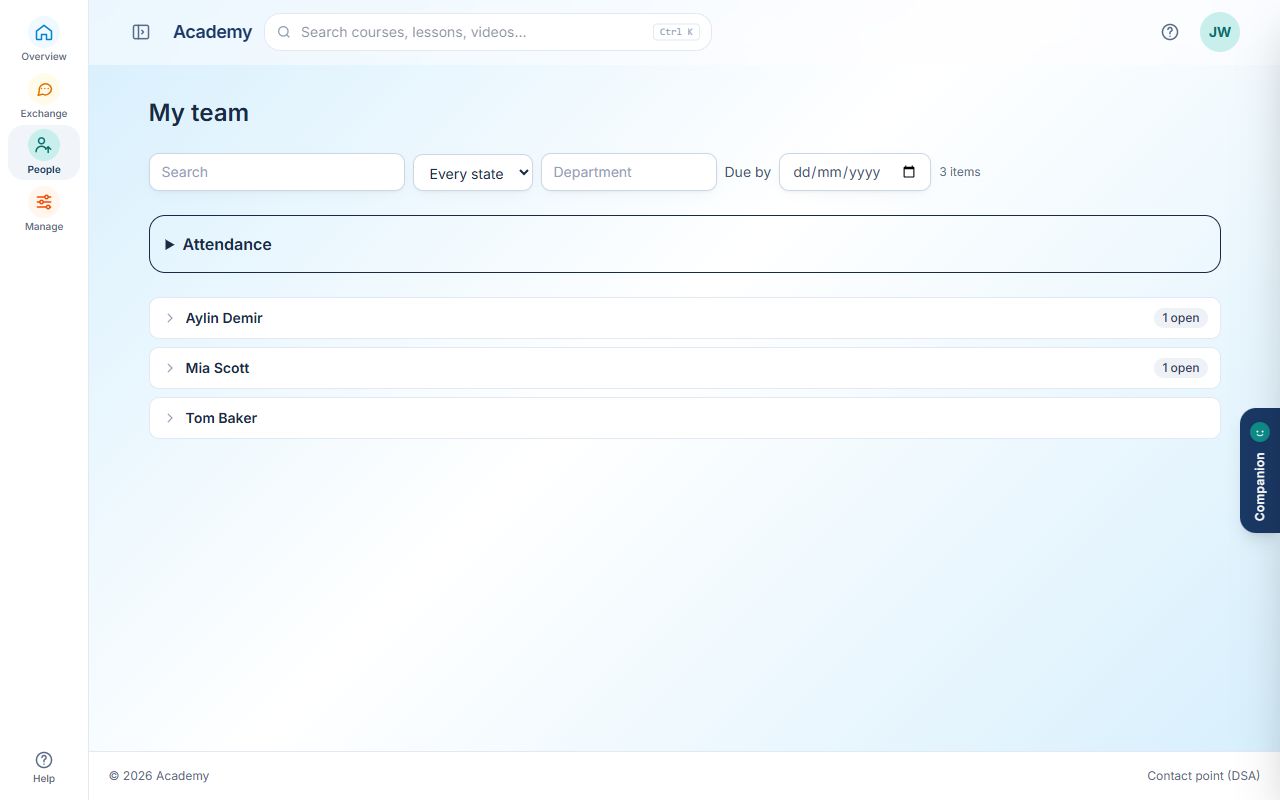
Line managers, team leads and deputies see the required trainings of the people they are responsible for under My team. Who that is comes from the reporting lines under Employment and from the team leadership under Teams. My team appears in the menu as soon as you lead a team or someone reports to you; it gives no administrator or trainer rights.
How to
Section titled “How to”- Under Employment, click a person’s line; in the window, enter job title, department, location, employee number, entry date and line manager, then “Save”.
- To update many people at once, click “Import employment data”; in the window click “Download CSV example”, fill it in, choose the file or paste its content, click “Preview” and, if every row is valid, “Apply import”.
- Under Teams, give a team its team leads and deputies (see “Teams and required trainings”).
- Managers open My team, search or filter by status, department or “Due by”, open a person’s line and click “Send reminder” on an open mandatory training.
Fields and buttons
Section titled “Fields and buttons”- Last updated by: Shows whether a field was last changed by hand or CSV, the HR system, SCIM or Microsoft Entra. A later update from the directory can replace values it supplies.
- Managed in the HR system: Fields your HR system leads can’t be changed here; change them there.
- CSV import: Updates existing people by email. Missing columns remain unchanged; empty cells clear a field. The manager email must belong to an active person in your organisation. A row with an error (person not found, duplicate email, missing or inactive manager, a circular reporting line, an HR-managed field) stops the import.
- My team: One folded line per person with job title, department and location and the number of overdue and open trainings; people with overdue trainings are open first. Inside: each required training with its status (open, overdue, completed) and due date. “History and certificates” lists every round, with a link to the certificate of each completed one.
- Send reminder: Sends the person a reminder of an open mandatory training; one per day.
- Attendance: Live sessions whose attendance you can open are listed above the people.
- Employment and reporting lines: managers and reports come from the HR system, Entra or Manual / CSV; Every state shows all. An import line Manager is missing or inactive needs fixing.