Learners
Where: Menu → Manage → Learners (accounting: Menu → Finances → Learners)
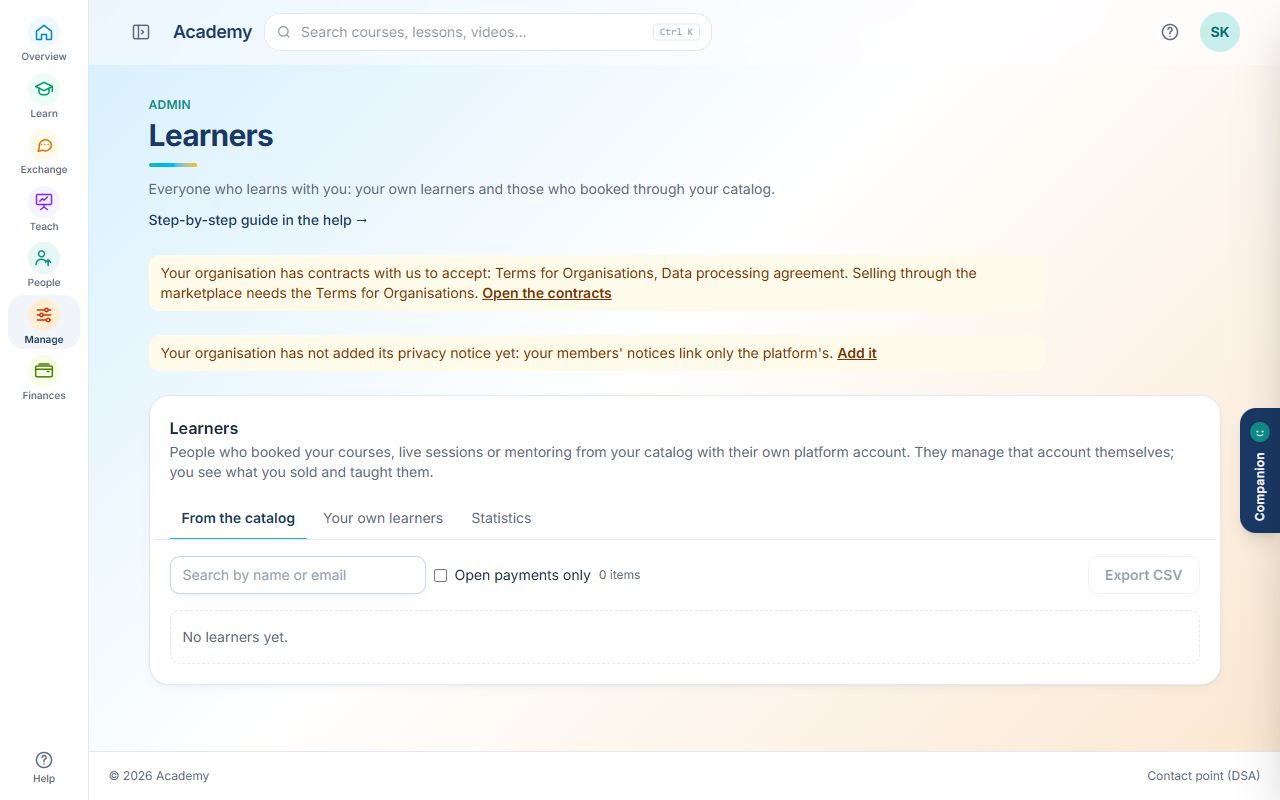
Everyone who learns with you: people who booked from your catalog and your own learners, with what they booked, paid and completed, and statistics on your sales. The page has three tabs: From the catalog, Your own learners and Statistics.
Fields and buttons
Section titled “Fields and buttons”- From the catalog: People who booked your courses, live sessions or mentoring from your catalog with their own platform account. They manage that account themselves; you see what you sold and taught them.
- Your own learners: Your own people who only learn here. You change their details and roles under People.
- Statistics: What you sold and how your learners do, from your own bookings, courses and certificates: amount paid with tax, discounts and refunds, paid bookings, buyers and how many came back, learners active in 30 days, Checkouts not finished (30 days) (started but not paid), bookings with a voucher, revenue per month, Best sellers (paid bookings) and Courses finished (certificate).
- Search and “Open payments only”: Search by name or email, or show only those with an open payment.
- Export CSV: Downloads the list as shown.
- A person: Click a person’s line: a window opens with the tabs “Bookings and payments”, “Courses and progress”, “Live sessions” (with Attended for sessions they took part in) and “Certificates” (where there are any) and “Vouchers”. “May be emailed” shows the person agreed to emails.
- Give a voucher: On the person’s tab “Vouchers”. A personal voucher for this learner on their next booking (see “Vouchers”). It is emailed only if the learner agreed to emails; they always see it under My learning.