Data retention
Where: Menu → Manage → Data retention
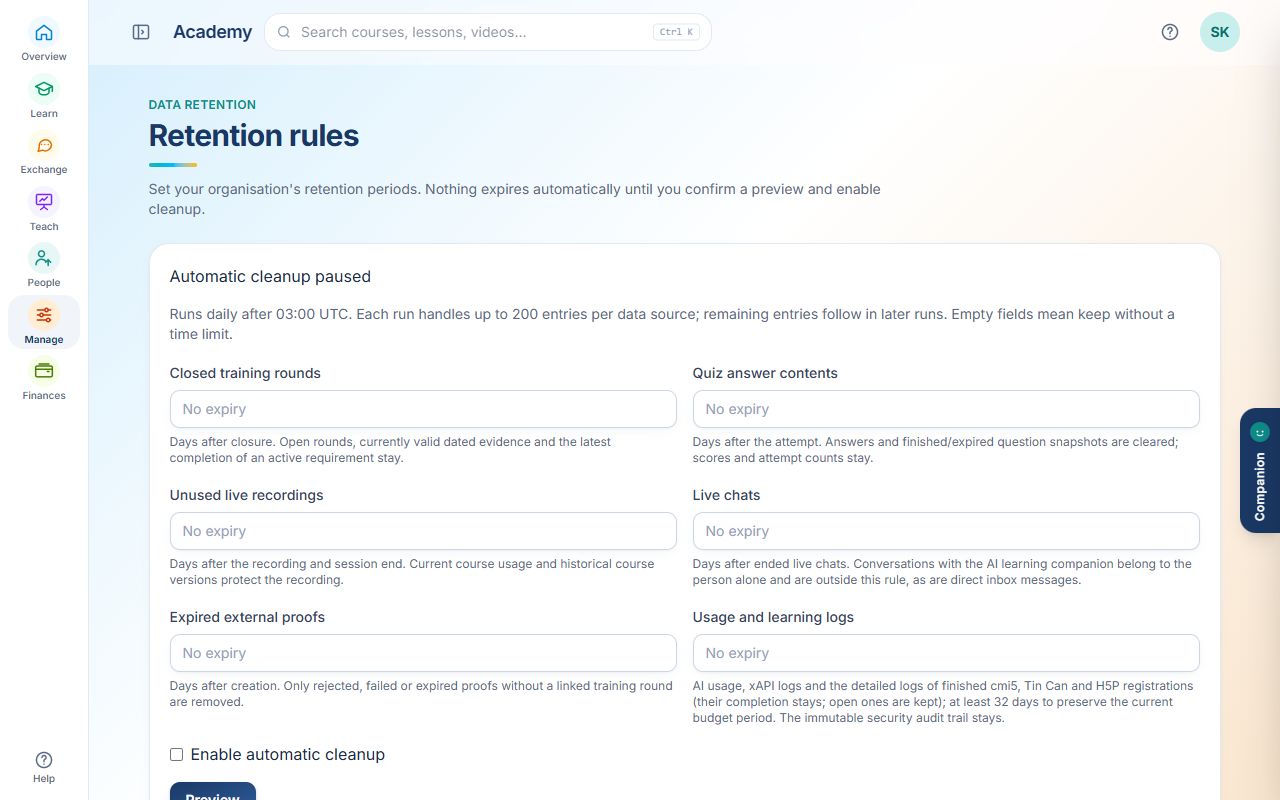
Set how long your organisation keeps certain data. Nothing expires automatically until you confirm a preview and enable cleanup. Cleanup is irreversible. The page has three parts, listed under Data retention in the menu: Retention rules, Cleanup holds and Cleanup history.
How to
Section titled “How to”- On Retention rules, enter the number of days for each category you want cleaned up. Empty fields mean keep without a time limit.
- Tick “Enable automatic cleanup” and click “Preview”.
- Check, per category, how many entries are eligible, how many are protected and whether a hold applies. The preview is valid until the time shown.
- Tick that you have reviewed the counts and chosen periods and authorise irreversible cleanup under these rules, then “Confirm and save”.
Fields and buttons
Section titled “Fields and buttons”- Categories: Closed training rounds, quiz answer contents, unused live recordings, live chats, expired external proofs, and usage and learning logs. Below each field the screen says what counts and what stays; for example, scores and attempt counts stay when answer contents are cleared, and the usage logs keep at least 32 days.
- Protected: Active or still required evidence, referenced recordings and pending proof reviews are never cleaned up. The counts are estimates; dependencies and holds are checked again during cleanup.
- Schedule: Cleanup runs daily after 03:00 UTC, up to 200 entries per data source in each run; the rest follow in later runs.
- Pause now: Stops automatic cleanup.
- Cleanup holds: “Create hold” opens a window. A hold protects one category or all categories from automated cleanup, with a reason or reference. “Review release” and “Release hold” lift it; after that, active rules may delete the expired data it covered. Holds don’t replace the separate controls for erasing an account, deleting the organisation or destroying keys.
- Cleanup history: Every run, and file deletions still pending. “Run cleanup now” runs one batch with the rules already confirmed.
- Live session recordings: On Retention rules, below the rules: how many days after the session a recording is kept (default 90). Participants see it before they agree to be recorded, so it applies whether or not the rules above are on: the recording is deleted at night once its period has passed (a hold on recordings or all categories keeps it). Sessions planned already keep their period; recordings made before periods existed have none until their host sets one.
- Automatic cleanup enabled / Automatic cleanup paused; a period can be No expiry. For live recordings, Save period. A cleanup hold (protecting a category from automatic cleanup) needs an Administrative reason or reference.